Upgrading Client and Server
To maintain a stable and fully supported environment, it is recommended that both the client and server components are upgraded to the latest available version of the software. Keeping all components current helps reduce errors, ensures compatibility, and preserves the overall reliability of the system.
When planning an upgrade, consider using one of the following approaches:
- Incremental Upgrade
- Test Environment
Incremental Upgrade
When upgrading from an older version of the software to the latest, it is possible that some jobs, tasks, and connections might not work as expected. This is due to major changes that are introduced with each version of the software. To help pinpoint and alleviate potential issues, one method for upgrading is to jump from one major version to the next. Testing incremental upgrades — for example, moving from v10 to v11 and then to v12 — can help identify where issues arise and make troubleshooting more manageable.
Test Environment
Creating a test environment with the newest VisualCron version allows you to safely evaluate changes, confirm job behavior, and verify that all tasks, triggers, and integrations continue to operate as expected. To do this, you can install the latest version of the client and import jobs from your production environment.
Backing up the Environment
Before upgrading, it is recommended to backup the VisualCron environment. This can be achieved below:
Main > File > Export Settings

Main > File > Export Settings
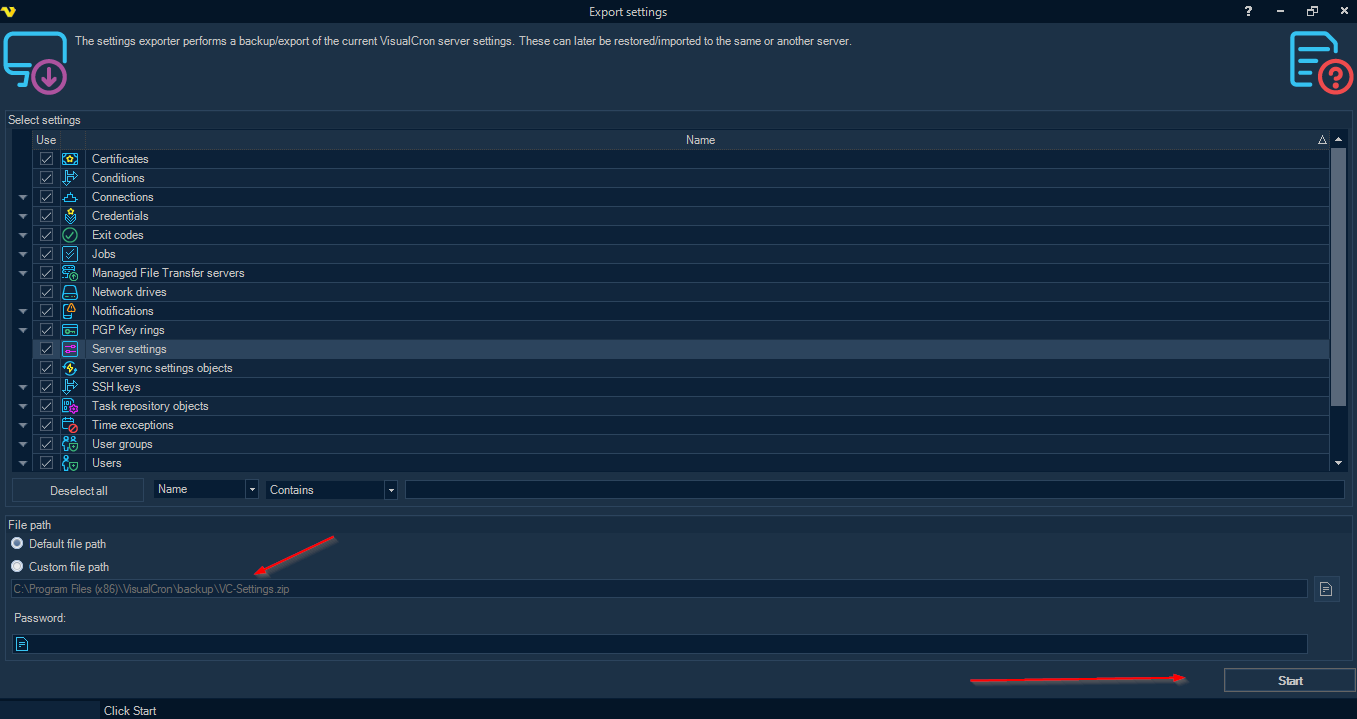
Make sure everything is selected then under "File Path", save the .zip folder outside the VisualCron folder. Once the File Path has been selected, hit "Start" to export the environment.
Once the new environment is ready, we can import our backup .zip folder
Main > File > Import Settings

Main > File > Import Settings
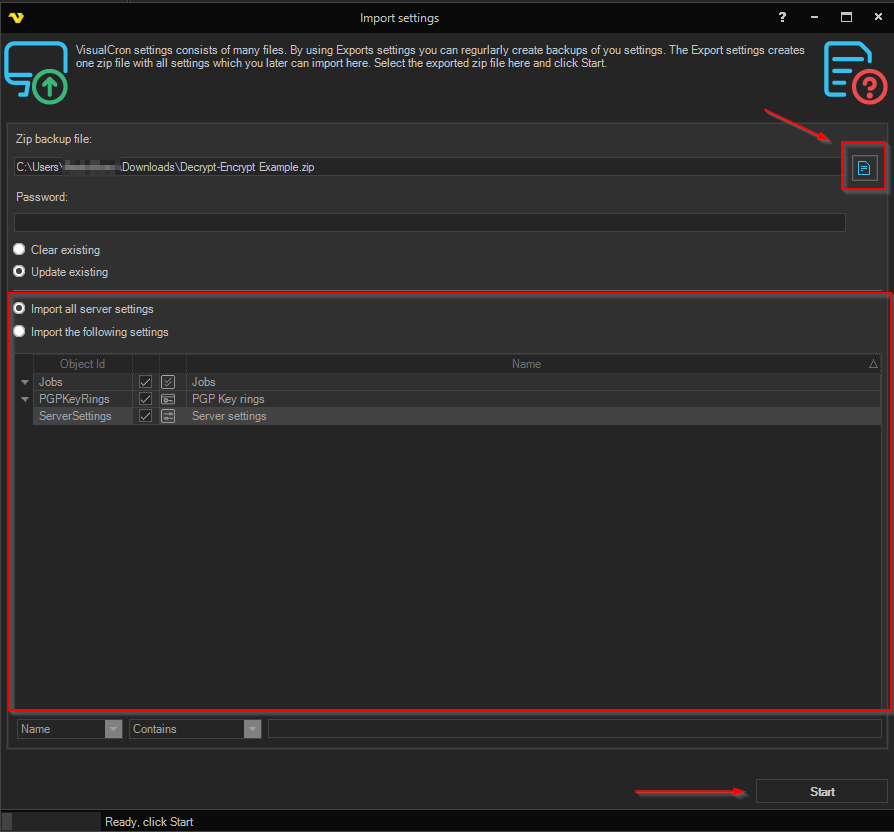
When Importing, make sure everything is selected then press "Start".